 Related Topics
Important: Use a different material tray for each type of material to avoid contamination.
To install the material tray:
-
Open the printer door.
-
Release the front and back tilt tray clips.
-
Note the tilt tray is labeled “front”: this label must be towards you when the tilt tray is in the printer.
-
Note the glass plate, ensure all corners are completely flat and in position.
-
Lower the tilt tray into position and secure it with all four tilt tray clips.
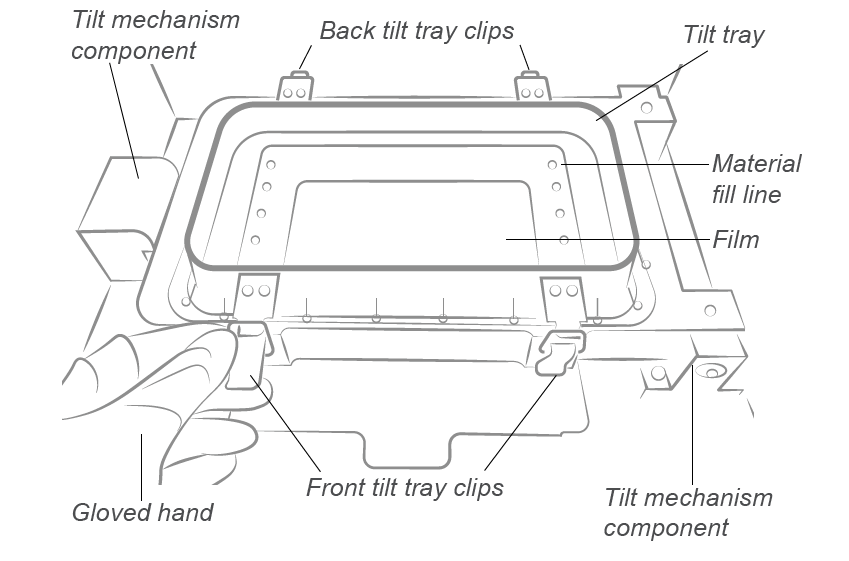
Important: Fastening the material tray clips is very important. If they are not fastened properly, the material will splash inside the printer.