 Related Topics
PWA 2000
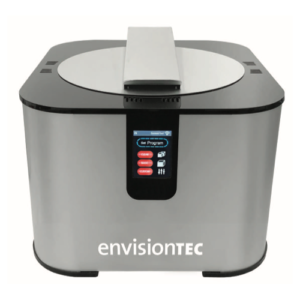
The PWA 2000 is the recommended washing unit for the parts printed with D4K™. The recommended post washing unit is based on the material(s) and material workflow(s) you are following.
To get the information on how to clean a printed part with PWA 2000, see PWA 2000.
Clean Printer Parts without PWA 2000
To clean the printed parts without the PWA 2000:
1. Fill both containers with 99% IPA.
2. Submerge the printed parts in the first bath of 99% IPA for no longer than 60 seconds.
3. Use a brush while the printed part is submerged to help clean out smaller features of uncured material. Printed parts may also be swished or gently stirred.
4. Remove the printed parts and spray them with compressed air until completely dry.
5. Examine each printed part for variations in surface quality. Glossy sections will need to be focused on during the second rinse cycle.
6. Place printed parts into the clean bath of 99% IPA.
7. Repeat the process by submerging printed parts for 60 seconds, then blowing each model dry.
8. Repeat this step as needed until each printed part has a uniform matte finish.
9. Dry the printed parts quickly with compressed air as extended time exposed to IPA can cause micro-cracks.